
The Chat Search Report shows chat details for all chats within the selected criteria. The results can be expanded to show the transcripts, history, and notes for the selected chat.
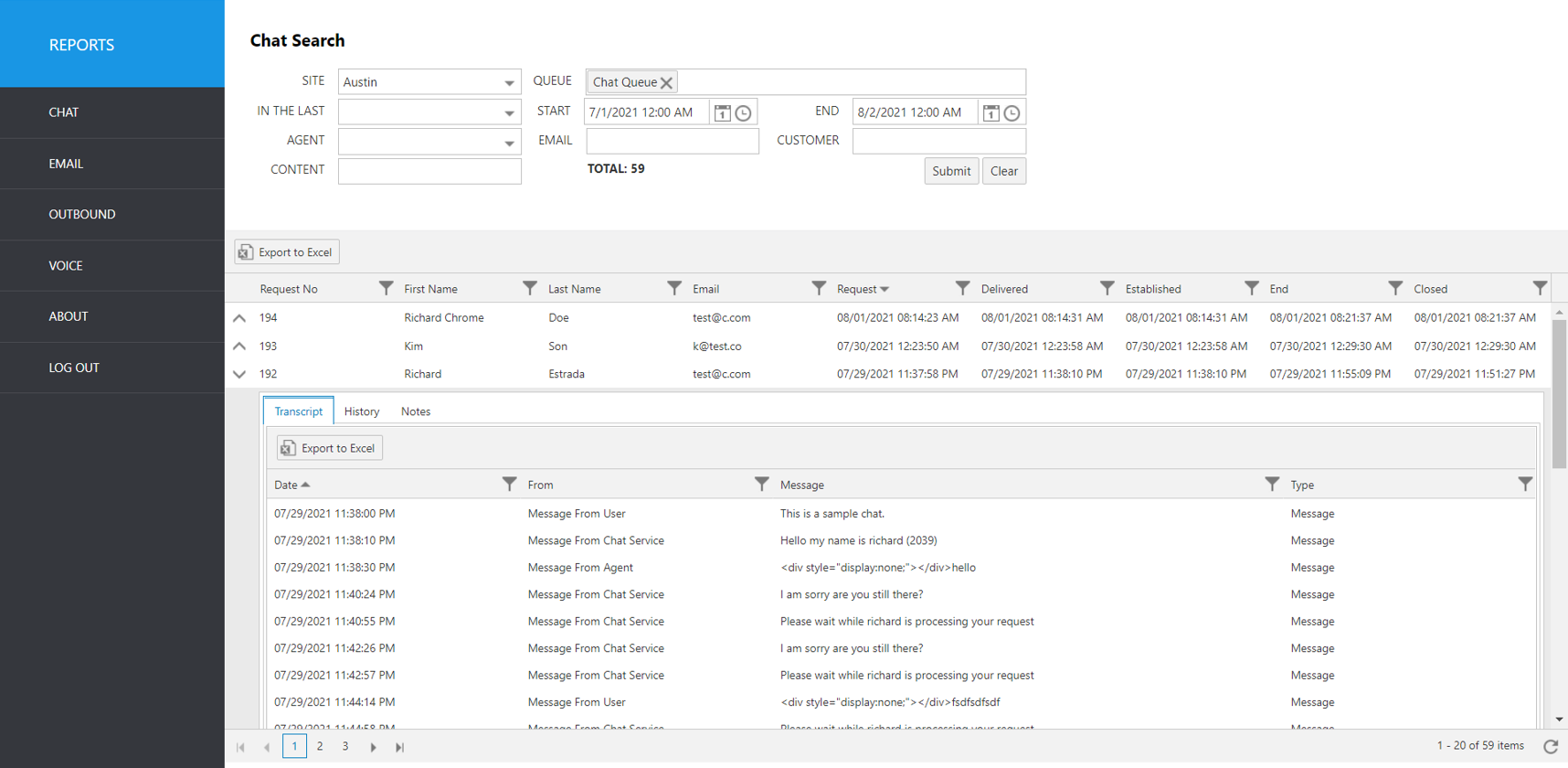
Select the following items to query, then click submit:
Site: Select Site.
Queue: Select the Queue.
In The Last: Select a time frame to automatically fill the Start and End date/time.
Start: Use this to enter an exact start date/time.
End: Use this to enter an exact end date/time.
Agent: Select an agent username from the pulldown list.
Email: Email address of customer who initiated the chat.
Customer: Enter the customer’s first or last name (full or partial).
Content: Enter a string of text to search for within the chat transcripts.
The initial output shows the following summary data:
Report Heading | Description |
|---|---|
Request No. | Chat item request number. |
First Name | First name of customer who initiated the chat. |
Last Name | Last name of customer who initiated the chat. |
Customer’s email address. | |
Request | Time chat was requested. |
Delivered | Time chat was delivered to a queue. |
Established | Time chat was established. |
End | Time chat was ended. |
Closed | Time chat was closed. |
To view individual chat details, click the up arrow to the left of the record you wish to expand.
Resulting screen tabs: Transcript, History, Notes.
The following items can be viewed for each chat.
Transcript details | Description |
|---|---|
Date | Date/Time of transcript event |
From | Agent or user who initiated the transcript event. |
Message | Actual message transcript of the chat session |
History details | Description |
|---|---|
Date | Date/Time of chat session events |
Author | Agent or user who authored the event. |
Message | Event log of chat session. Example: Chat Created, Chat Ended |
Notes details | Description |
|---|---|
Date | Date/Time note was written |
Author | Agent or user who authored the event. |
Message | Actual text of the note added during dispositioning |