
The Mailbox Snap-Shot Report shows a real-time summary of emails by mailbox and state. The report can be expanded to show a chart, or the list of emails per state. Expand again to show the emails details and event history for the selected email.
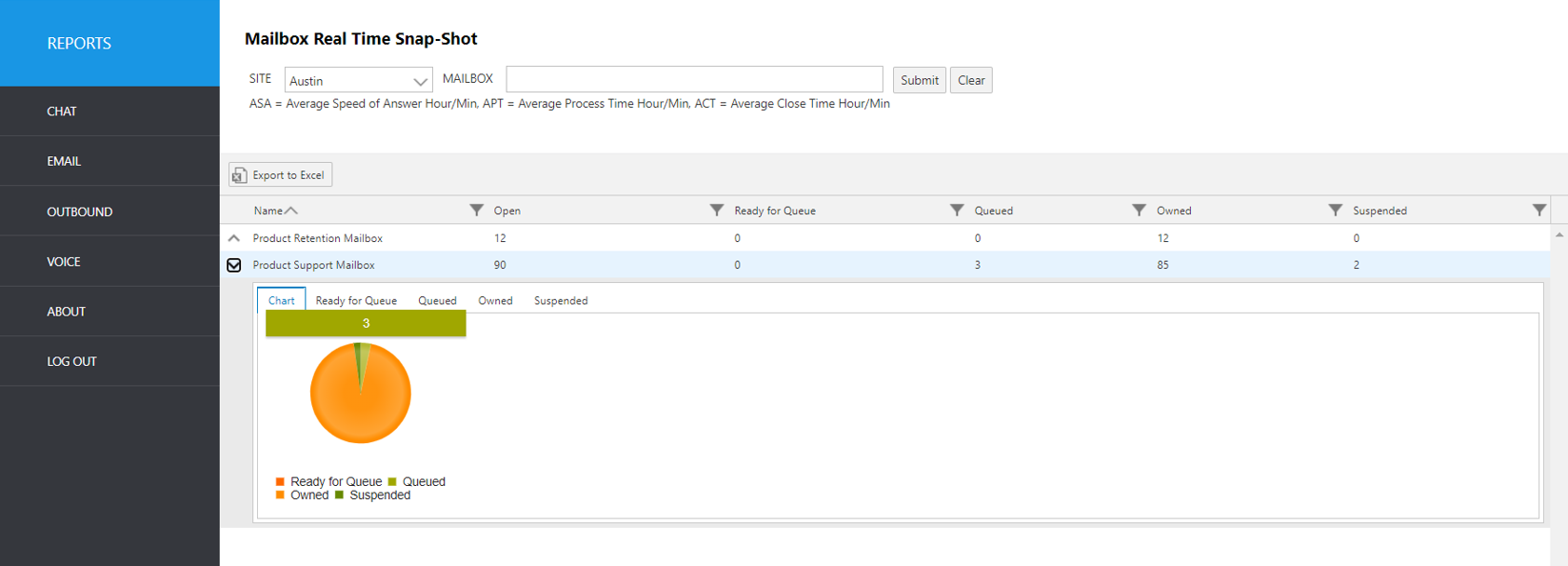
Select the following items to query, then click submit:
Site: Select site.
Mailbox: Select the mailbox(es) from the pull-down list.
The initial output shows the following summary data:
Report Heading | Description |
|---|---|
Name | Name of mailbox. |
Open | Count of unworked email items. |
Ready for Queue | Count of items that are in the queue, but waiting to be assigned to a station. |
Queued | Count of items that are assigned a (phantom/virtual) station. |
Owned | Count of items that are in an agent’s inbox (accepted by the agent). |
Suspended | Count of items that are suspended by an agent. |
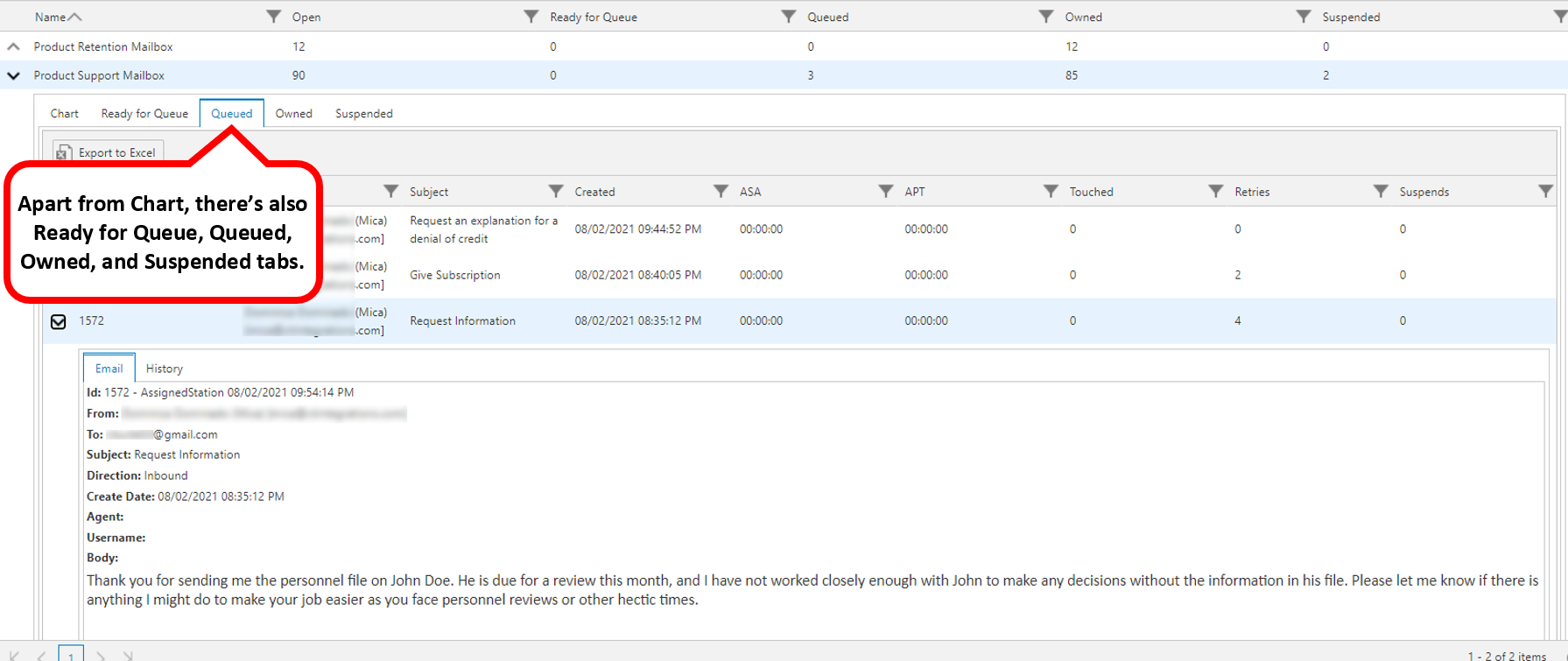
To view more details, click the up arrow to the left of the record you wish to expand. It will expand to show more information.
Resulting Screen Tabs:
Chart tab: Displays a pie chart representation of current state of all emails.
Status tabs: Select any status tab to see the emails that are in that state.*
*Email Status Definitions are here