
SearchCtrl K
The Arrived Monthly Report shows a summary of email volume by day for the selected month. The results are displayed as a total overall, and as totals for each mailbox.
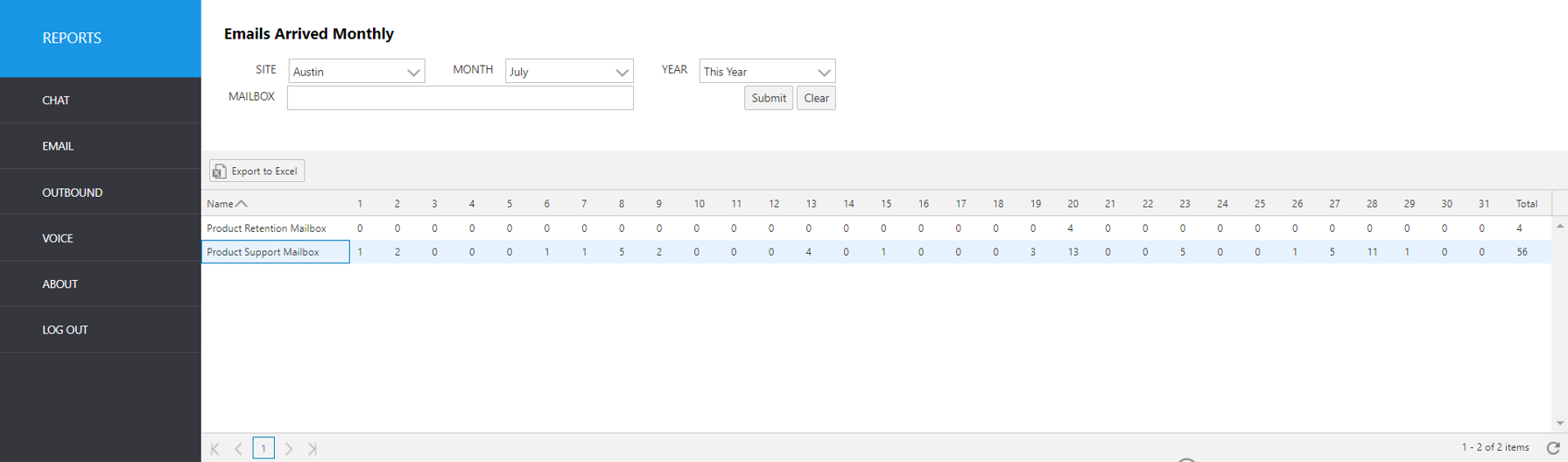
Select the following items to query, then click submit:
Site: Select site
Month: Choose the month name from the pull-down menu
Year: Select the desired year
Mailbox: Choose the mailbox name or names from the pull-down menu
The output shows the following summary data:
Report Heading | Description |
|---|---|
Name | Name of queue |
1-31 (days of the month) | Count of email arrived for that day |
Total | Total number of emails for month |