
SearchCtrl K
Shows the routing and activity history of the selected email.
To view the chat history, select the History tab in the chat.
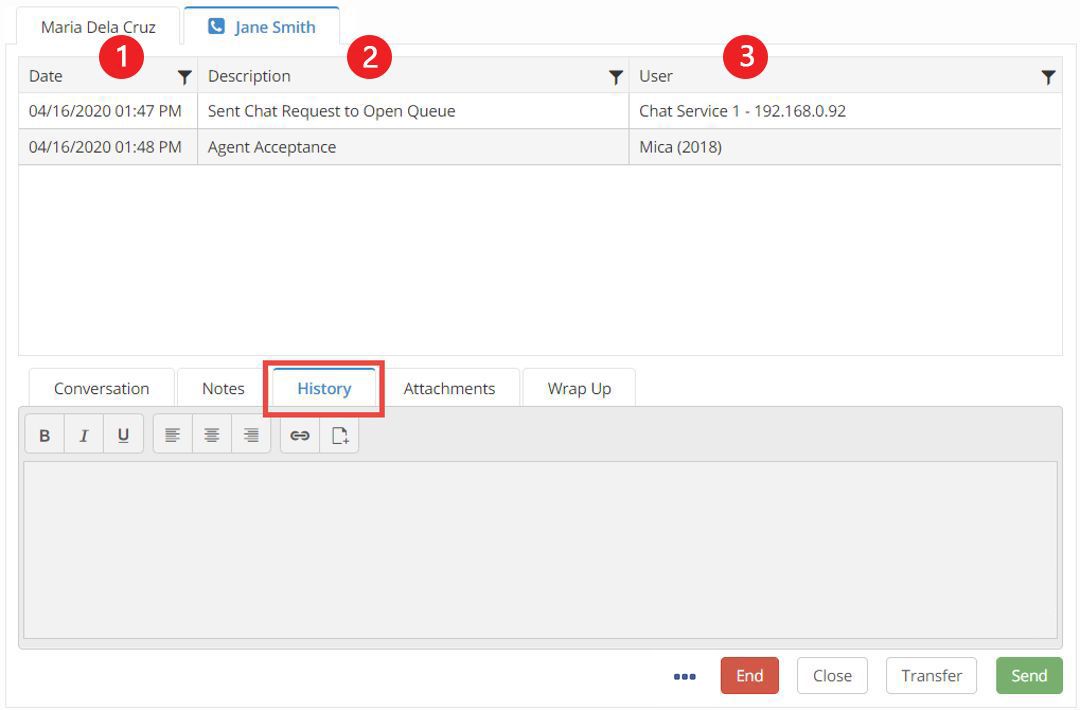
In the history tab, a grid will appear in place of the chat conversation.
Date: Date and time of the event
Description: Describes the event that took place
User: The user or queue that handled the chat event