Widgets and Features
Title
Message
Create new category
What is the title of your new category?
Edit page index title
What is the title of the page index?
Edit category
What is the new title of your category?
Edit link
What is the new title and URL of your link?
Chat Commands
Copy Markdown
Open in ChatGPT
Open in Claude

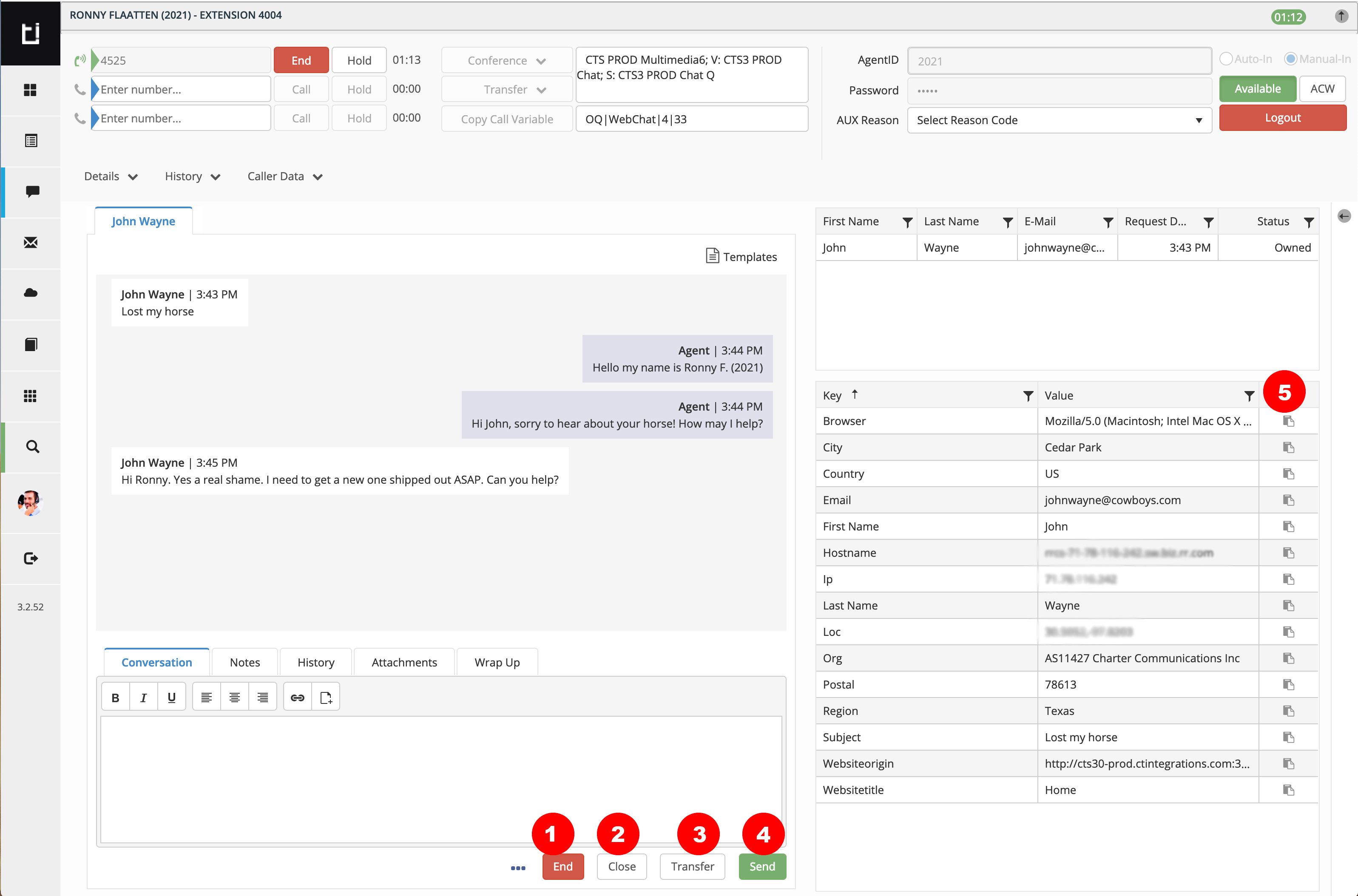
Click on the following buttons to issue these chat commands.
- End: Ends the phantom call, blocks text-entry from agent and end consumer side. Leaves the work item open for the agent to add notes and Wrap Up.
- Close: Ends the phantom call and closes the chat work item.
- Transfer: Transfer a chat to another chat queue or agent
- Send: Click to send the message in the conversation window (same as pressing
↵ / enter on the keyboard) - Copy
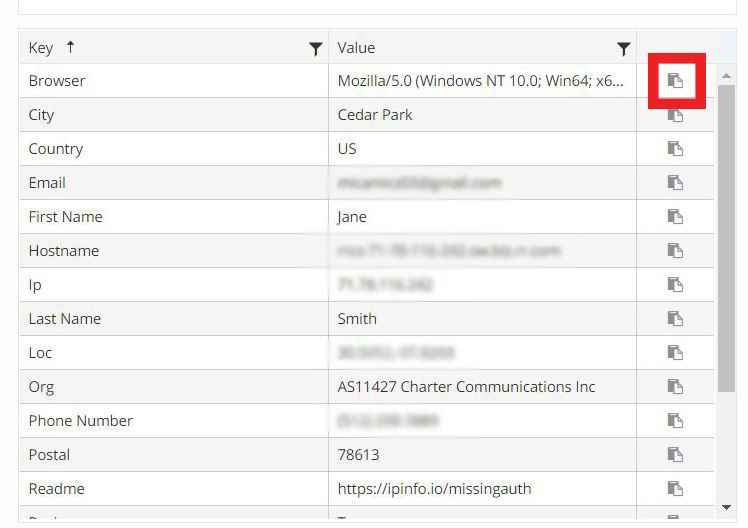
: Copies the corresponding value to the user's clipboard *
*Additional screenshots of these tabs are displayed below
Type to search, ESC to discard
Last updated on
Next to read:
Handling a ChatCopyright @ 2021 Avaya Inc.
Discard Changes
Do you want to discard your current changes and overwrite with the template?
Archive Synced Block
Message
Create new Template
What is this template's title?
Delete Template
Message