
The Presence widget provides the user with a view of other Agents and their current states. There are some slight variances between how the presence widget functions based on your platform. Those differences are outlined below.
Presence with the Avaya platform
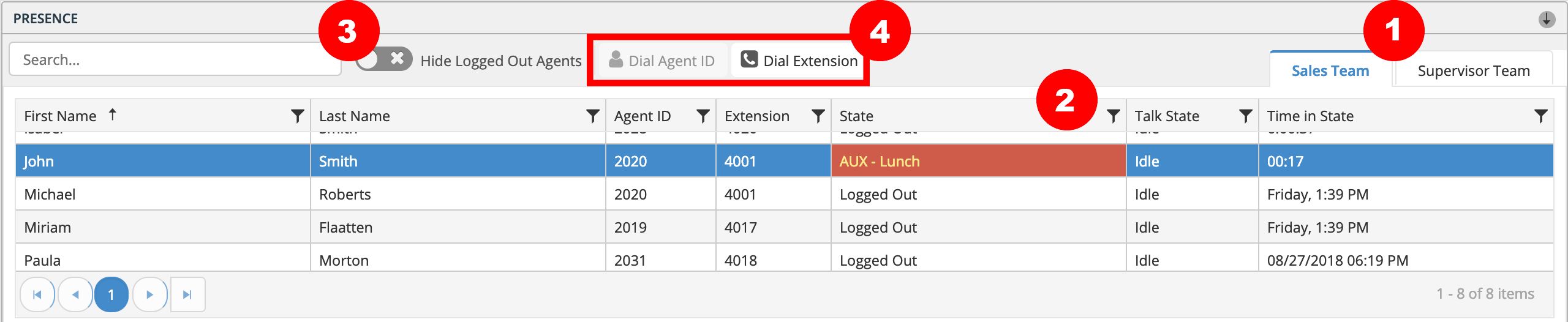
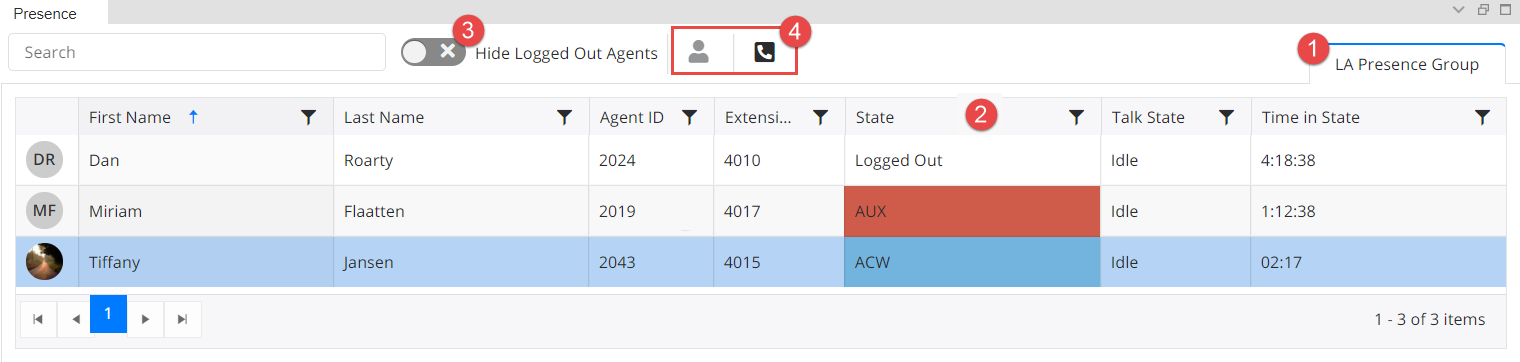
Presence Groups: Agents are grouped by "Presence groups," and a user will only see Presence groups of which they themselves are members. These groups are displayed in tabs within the widget. An agent can select the group they wish to view by clicking on the tab.
Agent State: Agents can use this widget to see what state another agent is in. In the example below, the agent John Smith is in AUX - Lunch.
Hide Logged Out Agents: Users can hide logged out agents by sliding the toggle switch. This removes logged out agents from the list view.
Dial Agent ID or Extension: Agents appearing in the Presence widget can be dialed by selecting the agent and clicking the Dial buttons. An Agent ID can only be dialed when the agent is in the Available state. The button is grayed out when the dial function is not available.
Presence with the Amazon Connect platform
In Amazon Connect, there is no ability for an agent to call another agent from Presence. Other agents can only be reached when initiating a conference or transfer.
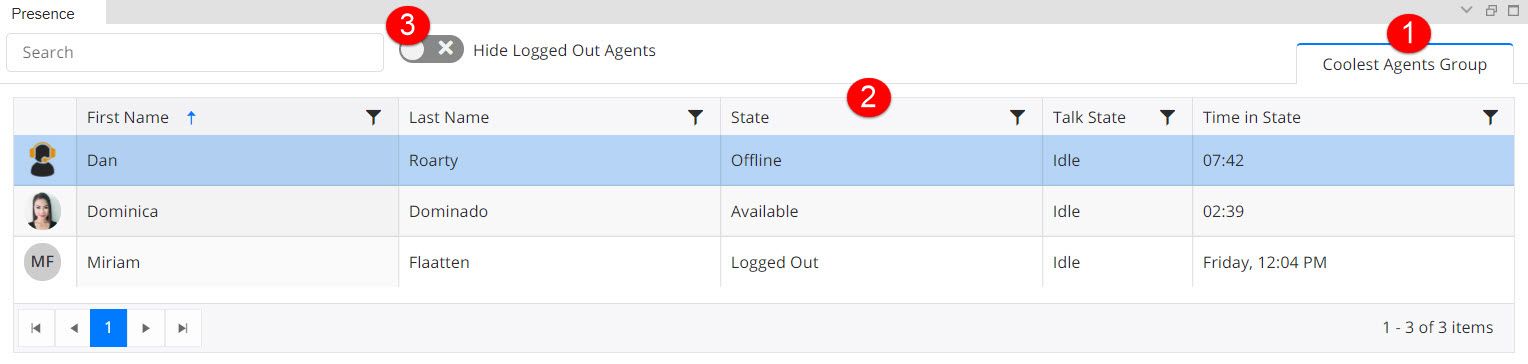
Presence Groups: Agents are grouped by "Presence groups," and a user will only see Presence groups of which they themselves are members. These groups are displayed in tabs within the widget. An agent can select the group they wish to view by clicking on the tab.
Agent State: Agents can use this widget to see what state another agent is in. In the example below, the agent Dan is Offline.
Hide Logged Out Agents: Users can hide logged out agents by sliding the toggle switch. This removes logged out agents from the list view.
Presence group memberships are administered by the CT Suite Administrator.