Widgets and Features
Title
Message
Create new category
What is the title of your new category?
Edit page index title
What is the title of the page index?
Edit category
What is the new title of your category?
Edit link
What is the new title and URL of your link?
Transfer Email
Copy Markdown
Open in ChatGPT
Open in Claude
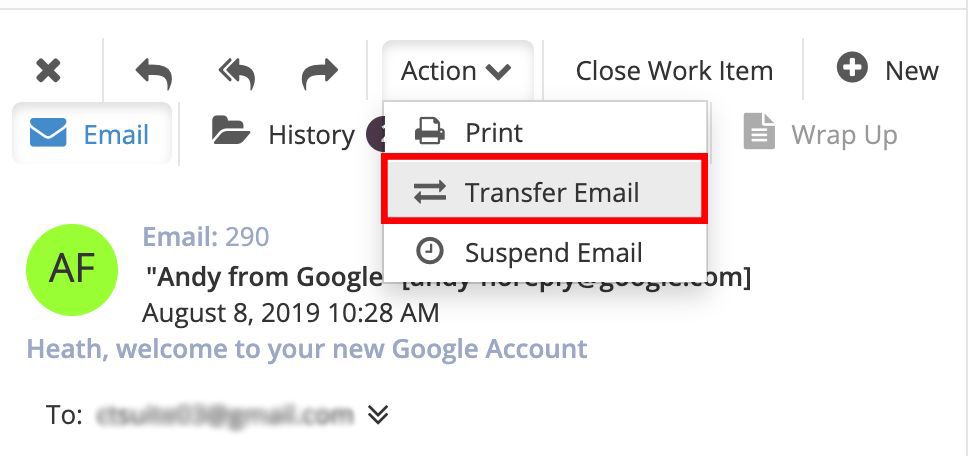
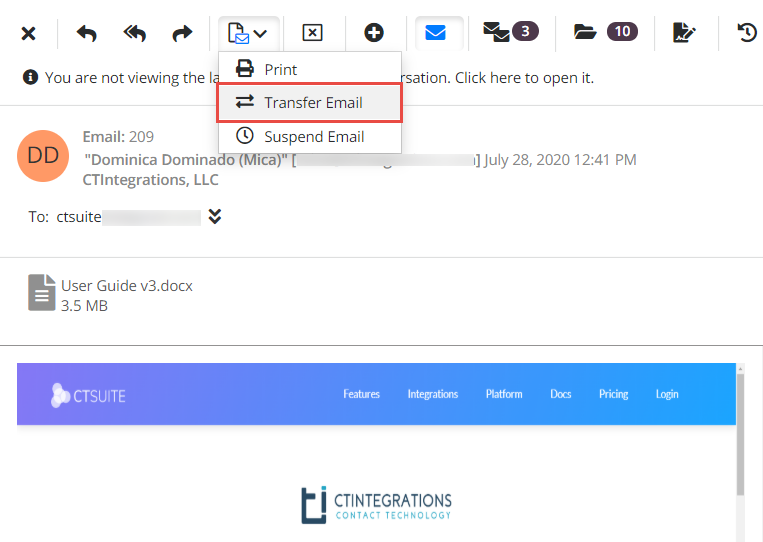
An email work item can be transferred to back into a queue or directly to another agent. To transfer an email, click the Action button, then a drop down will appear. Click Transfer Email.
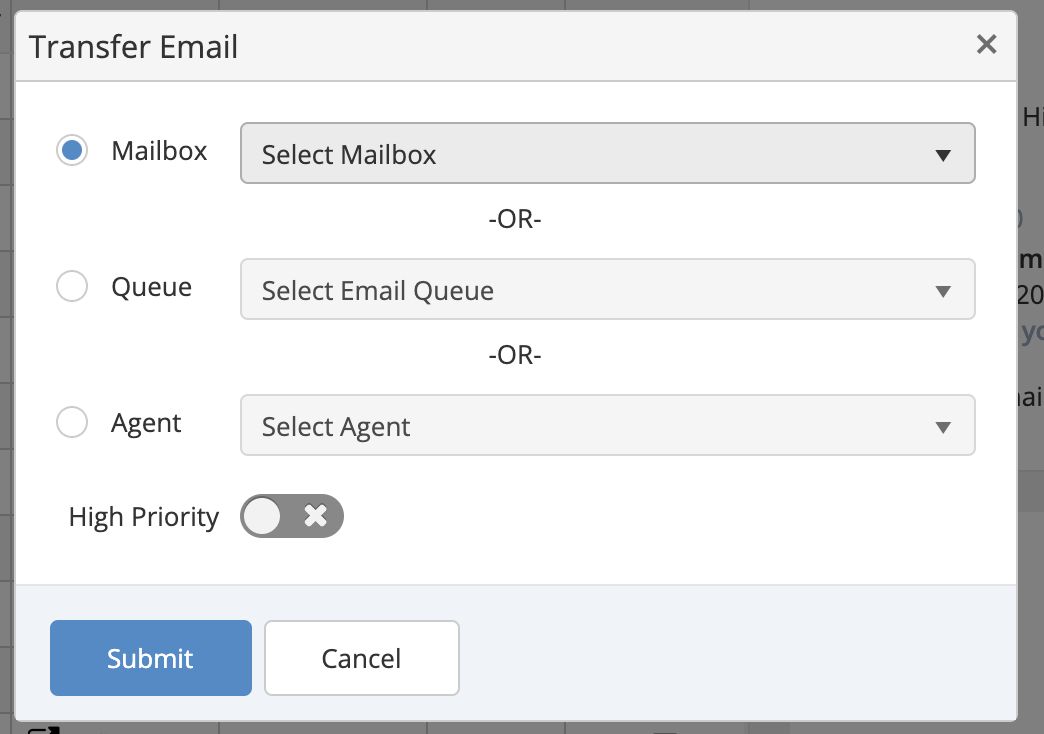
This will open up a new window. Select either a mailbox, queue or agent.
Use the drop down to select the queue, mailbox, or agent you would like to send the email to, then click Submit to transfer the email. The active call will be disconnected.
The Transfer to agent feature may not be available in your version. It must be enabled by your CT Suite administrator.
Type to search, ESC to discard
Last updated on
Next to read:
Close EmailCopyright @ 2021 Avaya Inc.
Discard Changes
Do you want to discard your current changes and overwrite with the template?
Archive Synced Block
Message
Create new Template
What is this template's title?
Delete Template
Message