This feature allows an agent to send a new email request to a "3rd party" that is not included on the original recipient list. It allows you to send a brand new email to a new recipient without including the original context, but keeps the email connected to the original email as a CHILD of the original. The original (parent) email can remain Suspended during the time the 3rd party is reviewing or working on the new child email.
To create a new child email:
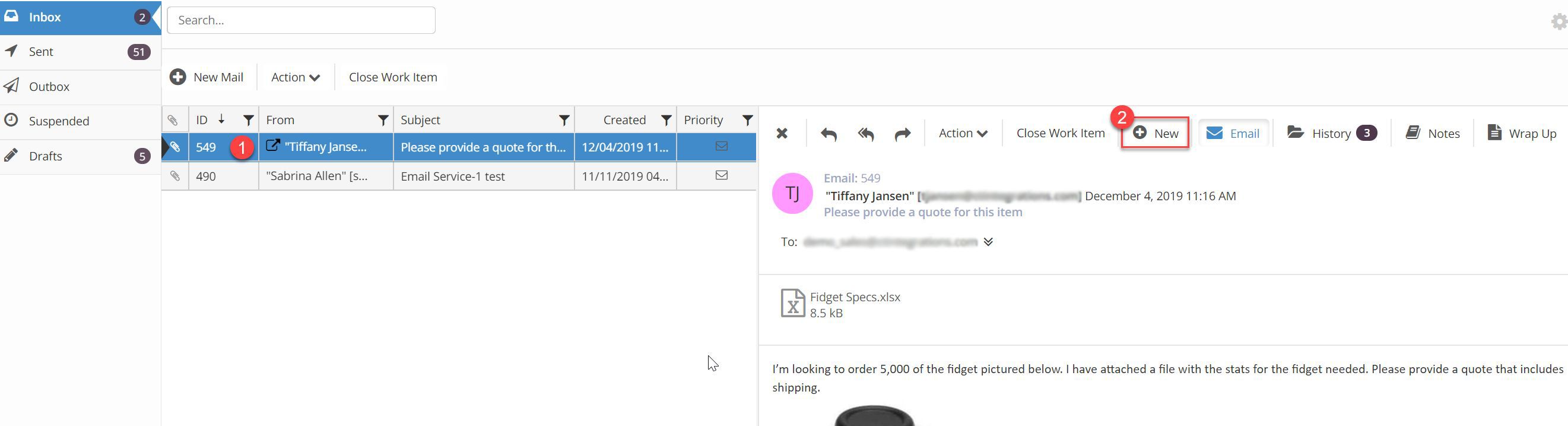
From the agent inbox, select the email to create a new child email from
Click the New button in the email reading pane toolbar. Note: the New Mail button in the list view toolbar will not create a child email.
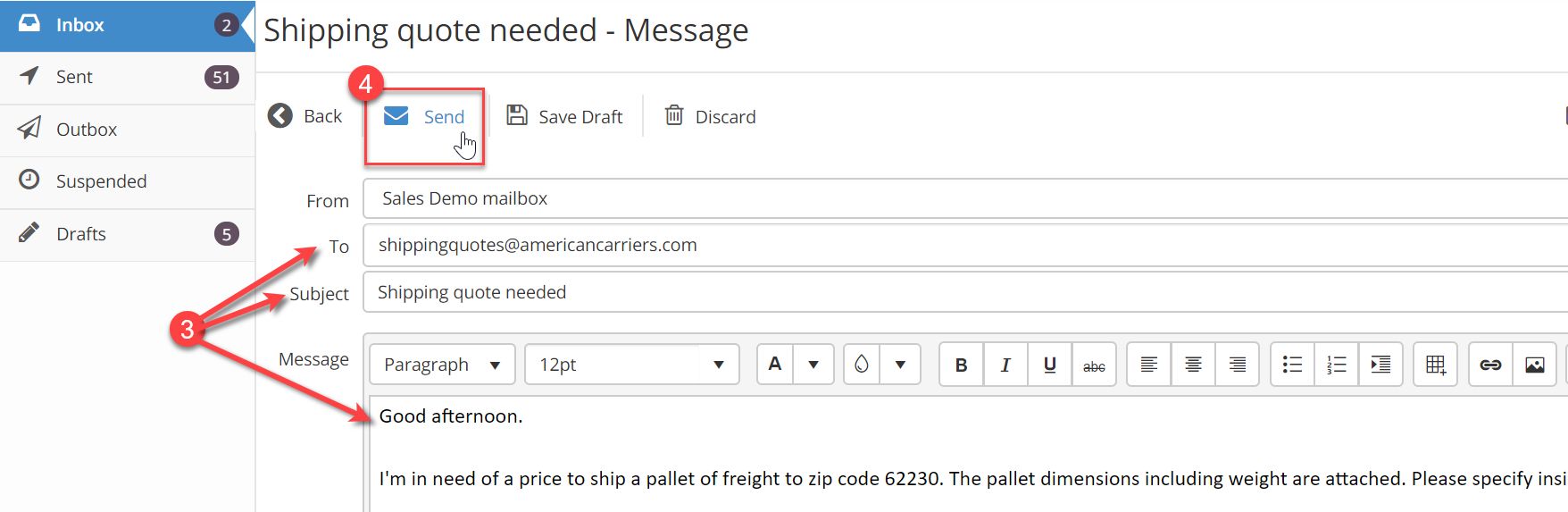
Compose your new email by filling in the TO, Subject and Body.
Click Send.
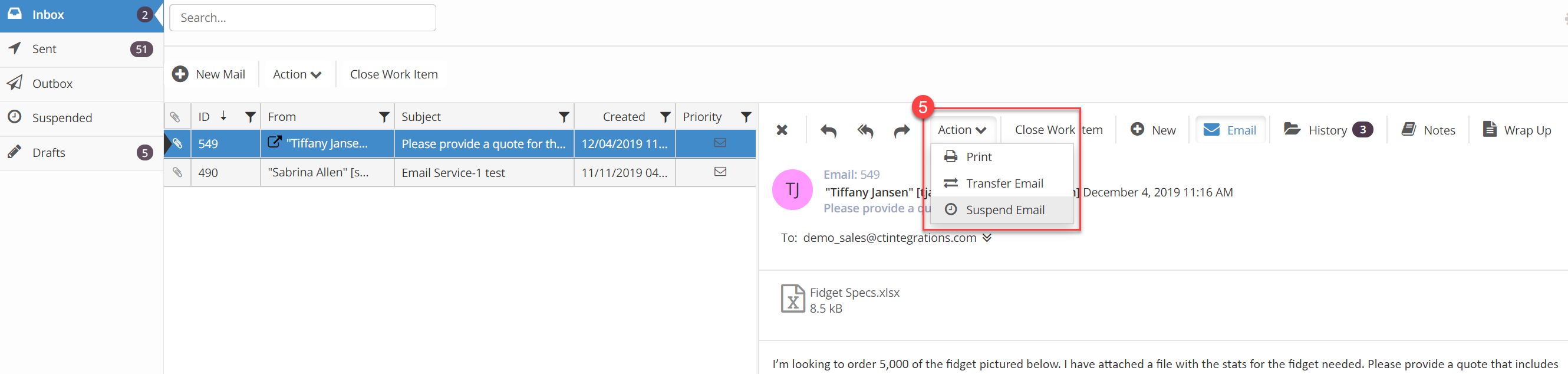
Suspend the original email using the instructions in the suspend section.