
Below is an overview of the mailbox the end consumer will see in the portal.
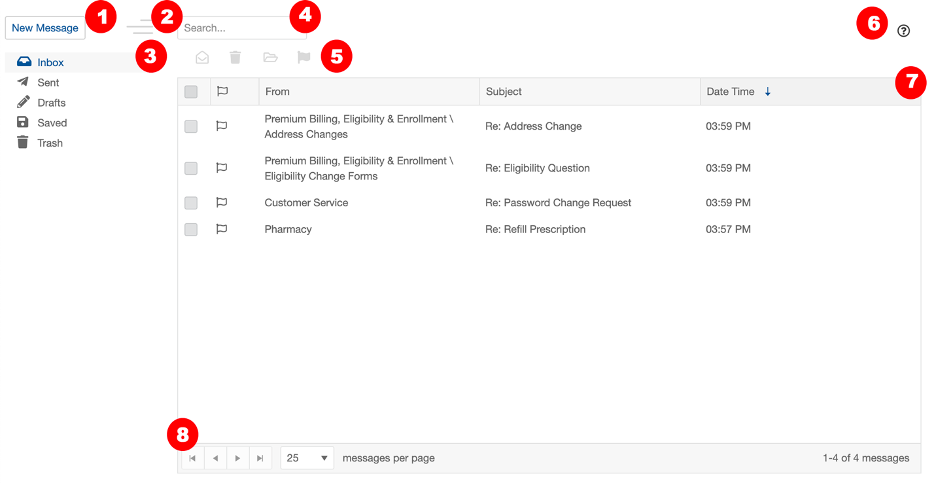
New Message: Click to compose a new message.
Collapse Sidebar: Click to hide/collapse the sidebar menu. When menu is expanded, clicking the lines once will minimize. To maximize, click once to expand and then a second time to keep it expanded.
Sidebar/Navigation menu: Navigate between the different mailboxes: Inbox, Sent, Drafts, Saved, Trash.
Search: Search the mailbox using keywords.
Toolbar: Contains options to mark as read, send to trash, move to saved and flag. (Options vary based on which mailbox you’re in. Navigate to each section to learn more.)
Help: Clicking this will open resources if user needs additional help.
Mailbox Folder List View: View contents in folder.
Pagination: Allows you to change the number of messages that display on the page, or turn the page to see additional messages.