
SearchCtrl K
Click the History tab to view your last 200 voice call records. Select a call record from the list to enable additional options.
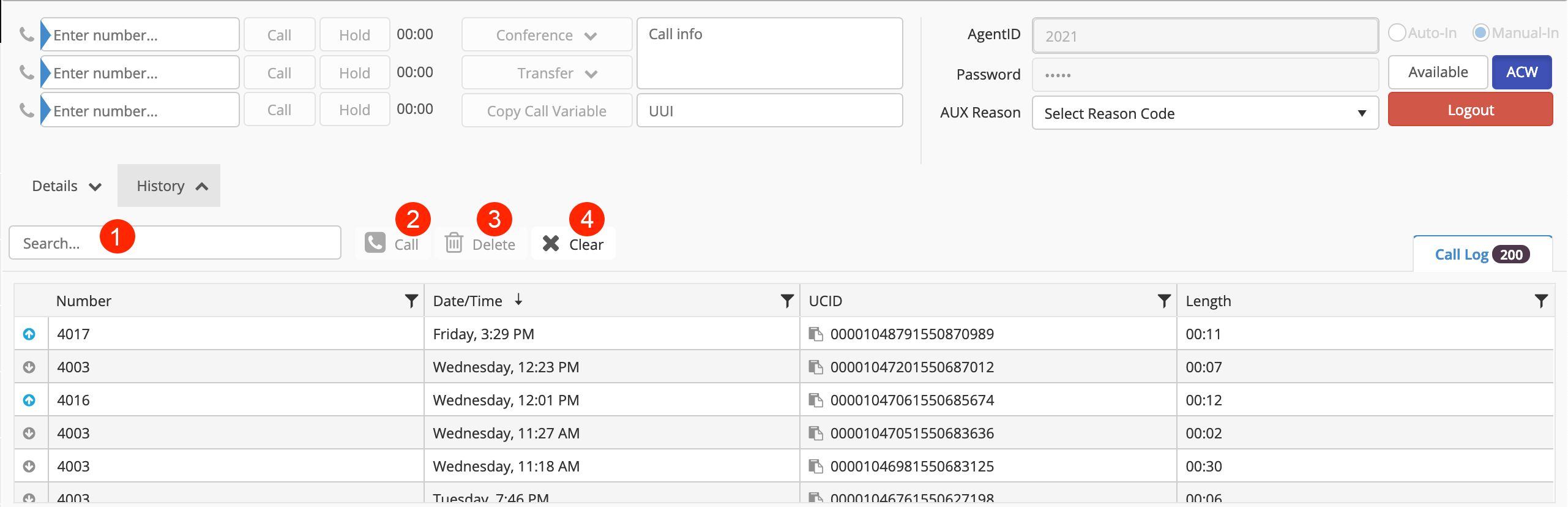
Search: Allows searching for incoming phone numbers.
Call: Click to dial a number selected from the list.
Delete: Click to delete a number selected from the list.
Clear: Clears all history records.
Info
UCID is the universal call ID assigned by Avaya
History Icons

A blue, upward pointing arrow is an outgoing call.
A red, downward pointing arrow is a missed inbound call.
A gray downward pointing arrow is an answered call.