SearchCtrl K
My List is a holding place for contacts that the agent wishes to make in the future. This section will explain the steps required to add contacts and place calls from the My List.
Add a Contact
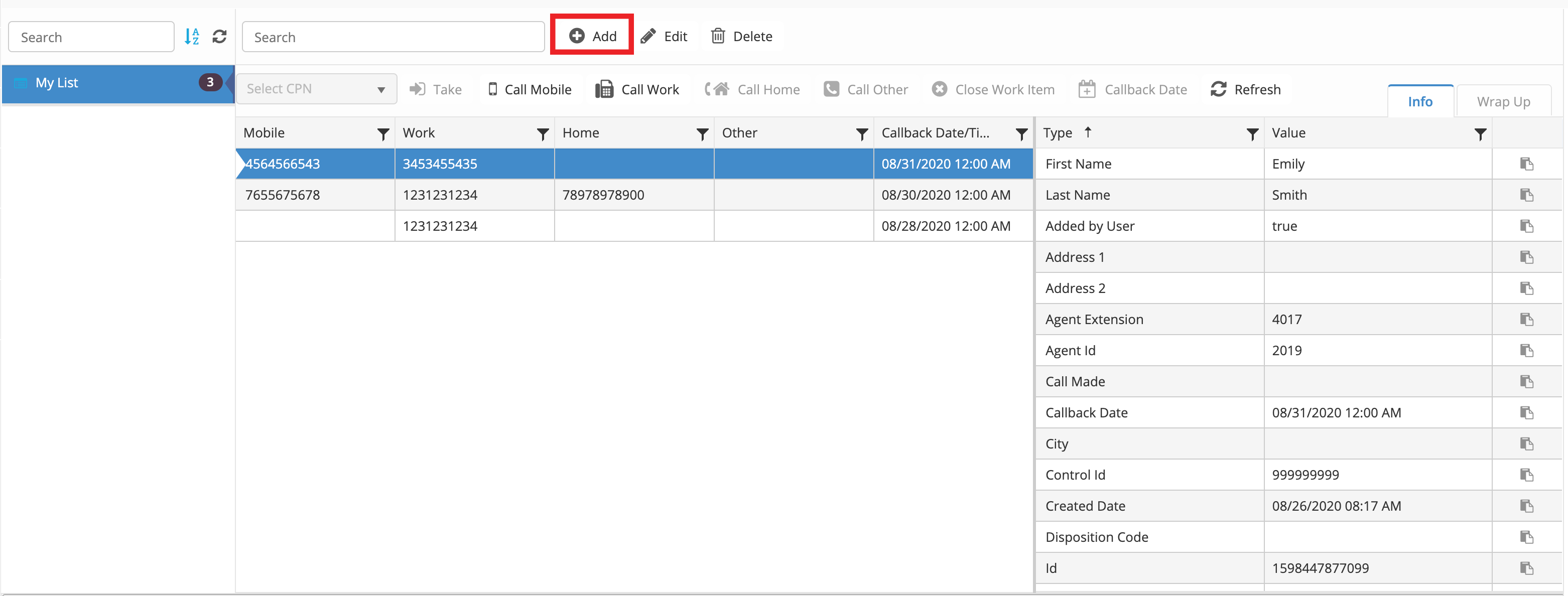
To add a contact to My List, click the "Add" button. Note: you can only add a contact in My List.
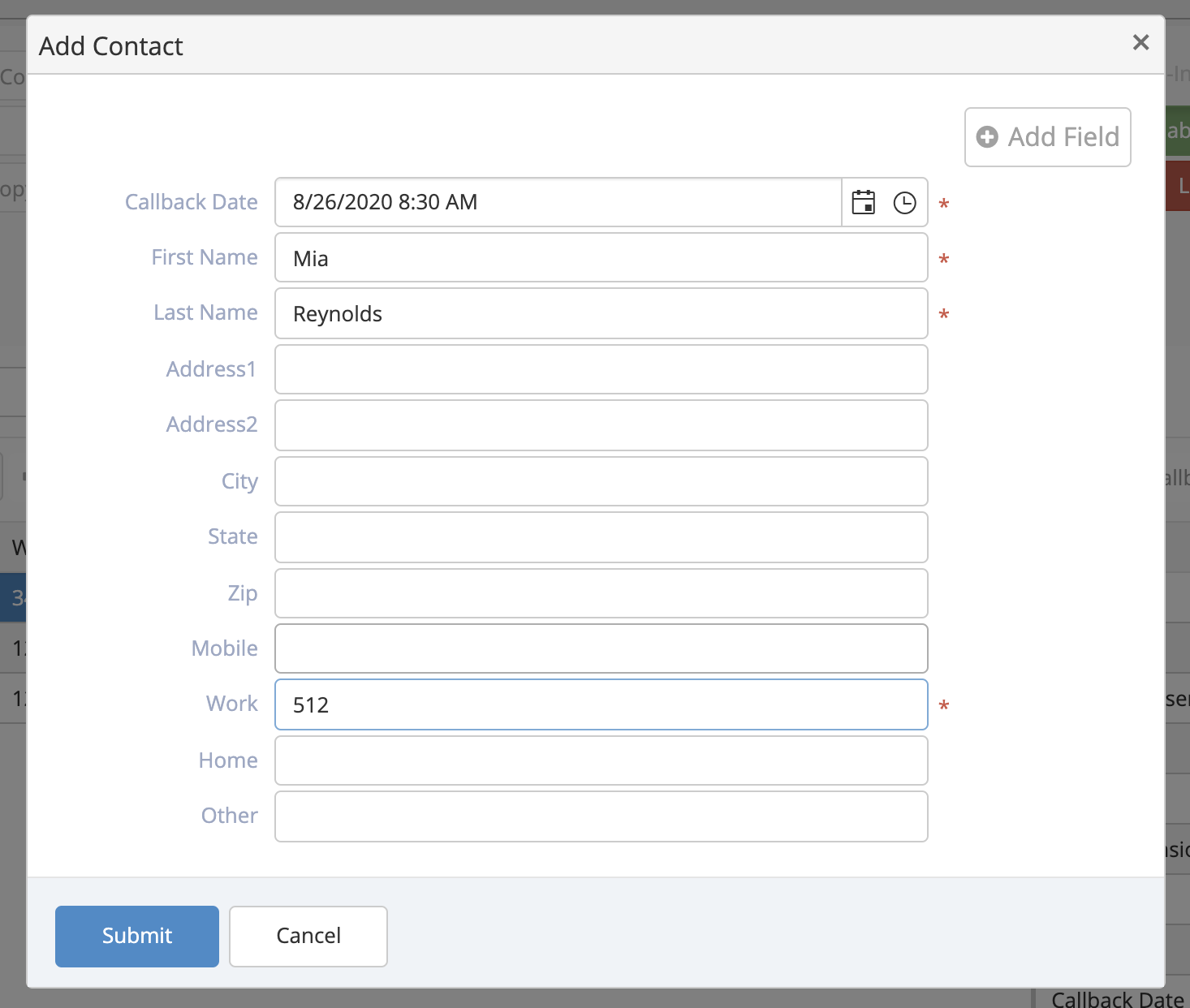
Clicking Edit will open the same dialogue box, where you can edit the existing contact.
A dialogue box will appear and you can set a callback date, as well as contact information.
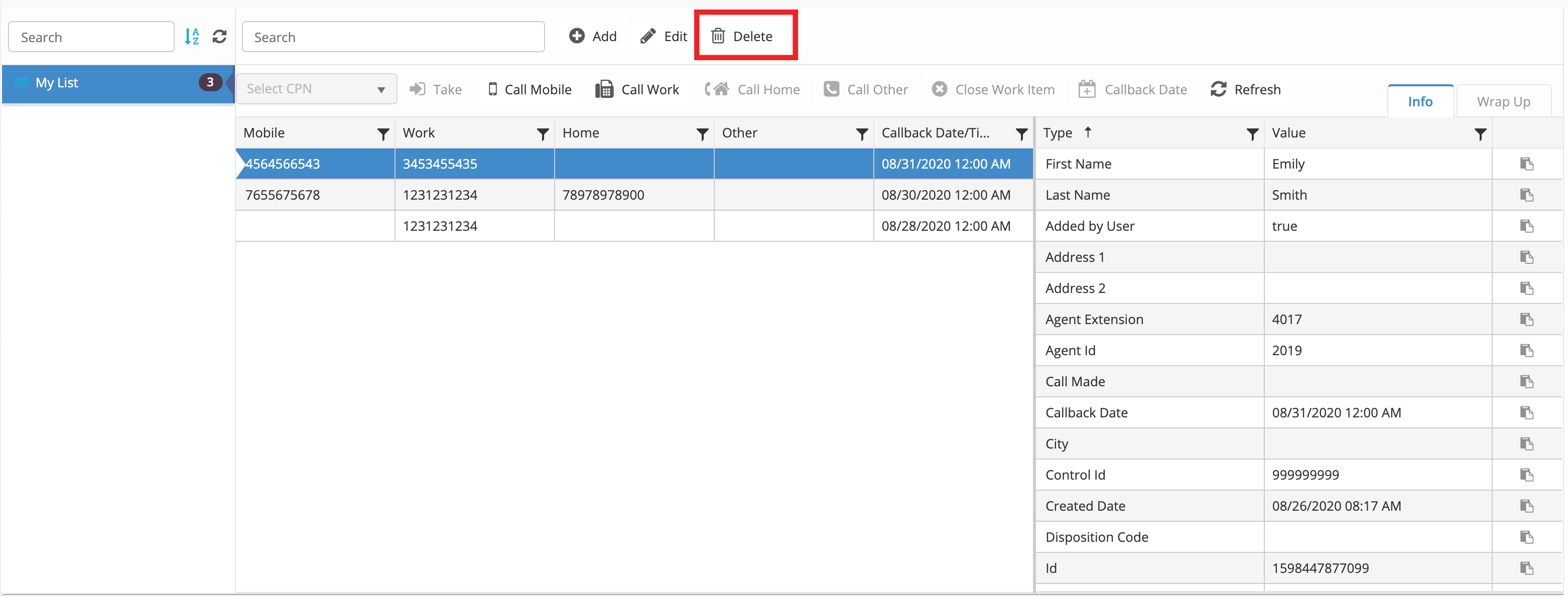
To delete a contact from My List, click the "Delete" button shown below.
Make an Outbound Call
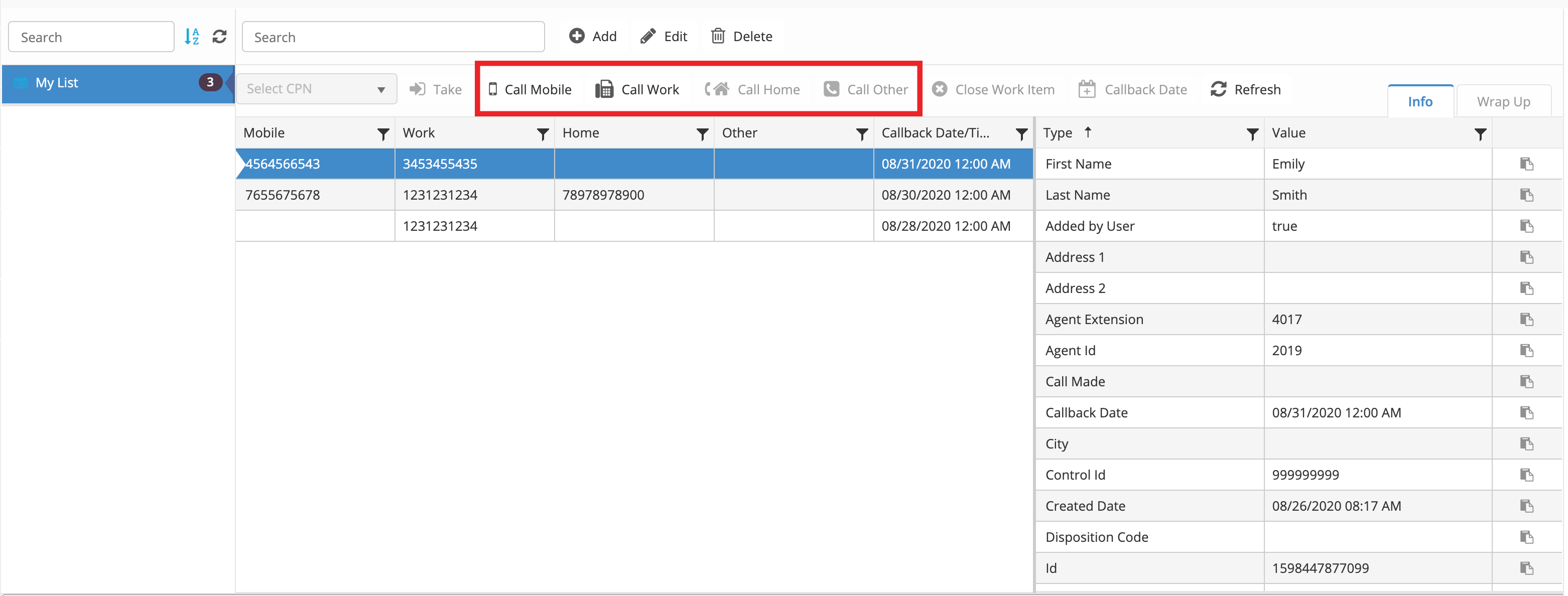
To make an outbound call, select a contact, then click the desired “Call ...” button. Example: Call Mobile.