
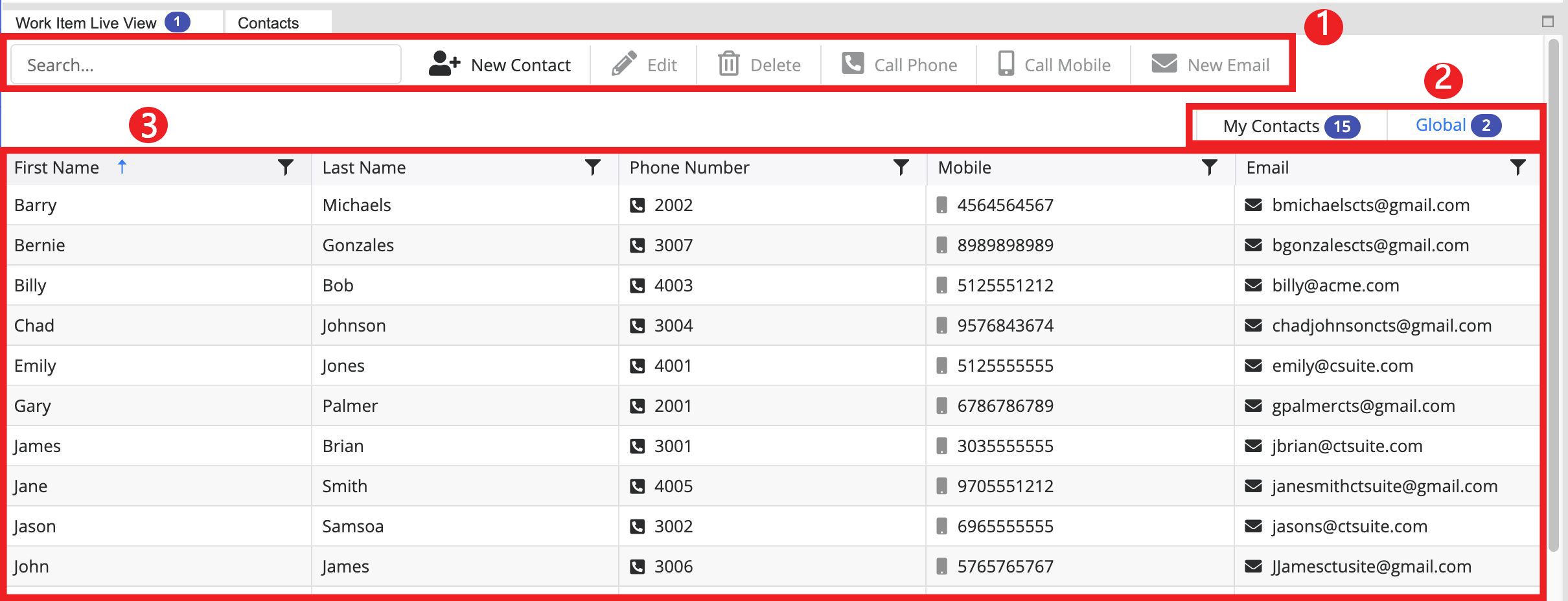
Contacts Toolbar: Manage the contacts in the contact list
Contact Lists: Allows you to toggle between the Global directory (populated by the administrator) and the Agent-created My Contacts list
Contact Grid: Displays the contacts in the selected list
My Contacts toolbar
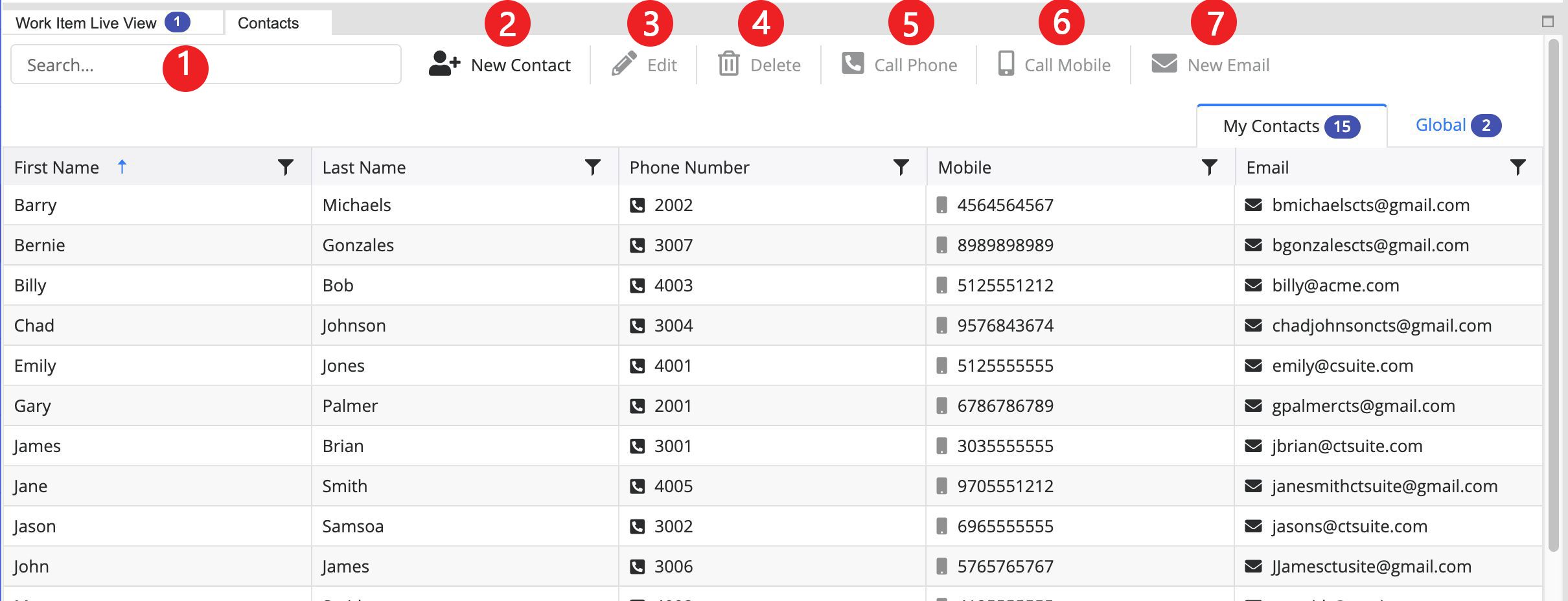
Search: Allows you to search for a contact in the selected list. The search is dynamic and will start displaying results immediately
New Contact: Opens a new window where you can create a new contact in your My Contacts list
Edit: Opens the selected contact in a separate window where you can change the information as needed
Delete: Deletes the selected contact
Call Phone: Dials the phone number listed in the "Phone Number" field of the selected contact. You can also click the small icon in front of the number in the list.
Call Mobile: Dials the phone number listed in the "Mobile" field of the selected contact. You can also click the small icon in front of the number in the list.
New Email: Begins a new email to the Email address listed on the selected contact. You can also click the small icon in front of the email address in the list.
Global Contacts Toolbar

Search: Allows you to search for a contact in the selected list. The search is dynamic and will start displaying results immediately
Call Phone: Dials the phone number listed in the "Phone Number" field of the selected contact. You can also click the small icon in front of the number in the list.
Call Mobile: Dials the phone number listed in the "Mobile" field of the selected contact. You can also click the small icon in front of the number in the list.
New Email: Begins a new email to the Email address listed on the selected contact. You can also click the small icon in front of the email address in the list.
Refresh: Allows you to refresh the list if new information has been recently added by the administrator